Fitness CRM Case Study
How a Fitness Brand Scaled Efficiently with a Centralized Management System
A Case Study by,
Pavesoft Team
OVERVIEW
Problem
The fitness business was managing client data, memberships, session tracking, and renewals across separate tools and manual processes. This created slow workflows, frequent miscommunication between teams, and a lack of visibility into overall client activity and business performance.
Solution
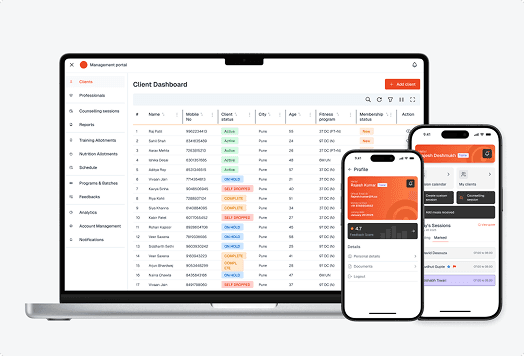
A centralized CRM system and trainer app were designed and developed to unify client data, memberships, sessions, and renewals into a single workflow. This reduced manual effort, improved team coordination, enabled real-time visibility, standardized follow-ups, and strengthened reporting for better decisions and scalable multi-location operations.
RESULTS
Operational Impact After Launch
30% faster client onboarding and membership management.
50% improvement in team coordination across portal and app workflows.
~20 hours per week saved through centralized data and reduced manual effort.
Improved client retention driven by better tracking and timely communication.
Reduced operational errors with improved visibility across teams and processes.
HOW IT WAS ACHIEVED
Understanding the Business
The engagement began with in-depth discovery sessions to understand how the business operated day to day, from client onboarding and membership renewals to trainer assignments, session allotments, and tracking. Stakeholder interviews helped map the complete user journey along with internal workflows and dependencies.
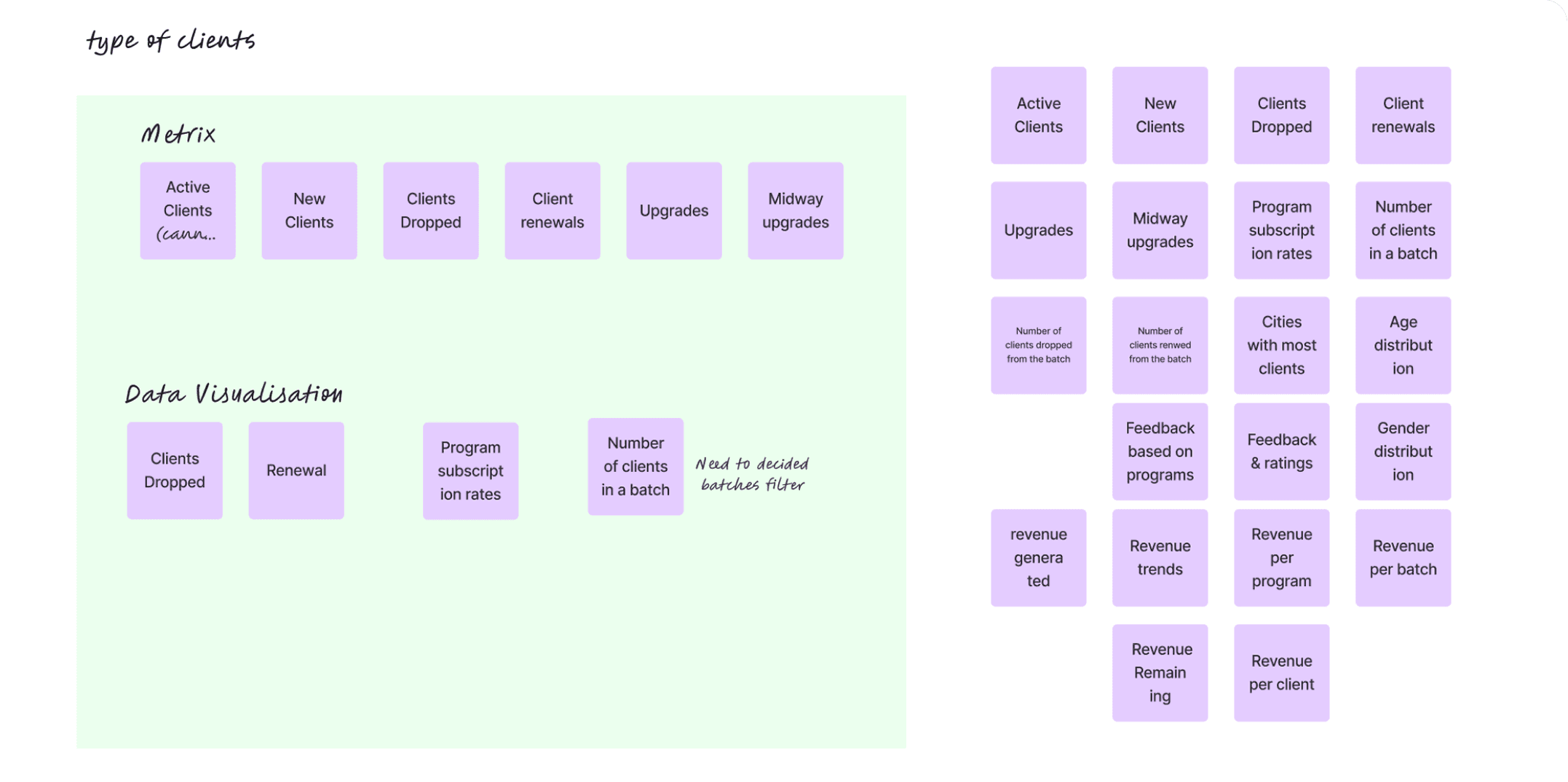
Information Architecture
We designed a clear and structured information architecture aligned with the platform’s modular system, ensuring intuitive navigation across both web and mobile.
“Good structure reduces the need for instructions.”
We designed a clear and structured information architecture aligned with the platform’s modular system, ensuring intuitive navigation across both web and mobile.
A consistent structure across modules meant users didn’t have to relearn patterns while moving between different areas.
The overall architecture followed real task sequences, supporting day-to-day operations instead of forcing rigid navigation paths.
UX Progression
The design process began with defining core user flows and structural layouts to establish clarity in how users would move through the system. This progressed into high-fidelity screens, where visual noise was reduced and hierarchy was refined to support faster decision-making and task completion.
Visual Design
The visual system was built to improve clarity, reduce friction, and help users process information faster across dense operational screens.
Minimal visual layering with controlled use of color helped reduce distraction and kept focus on primary tasks.
A clear typographic hierarchy was introduced to make key information easier to scan and prioritize in fast-moving workflows.
A consistent icon language improved recognition of actions and reduced cognitive effort across repeated tasks and modules.
Interaction Patterns
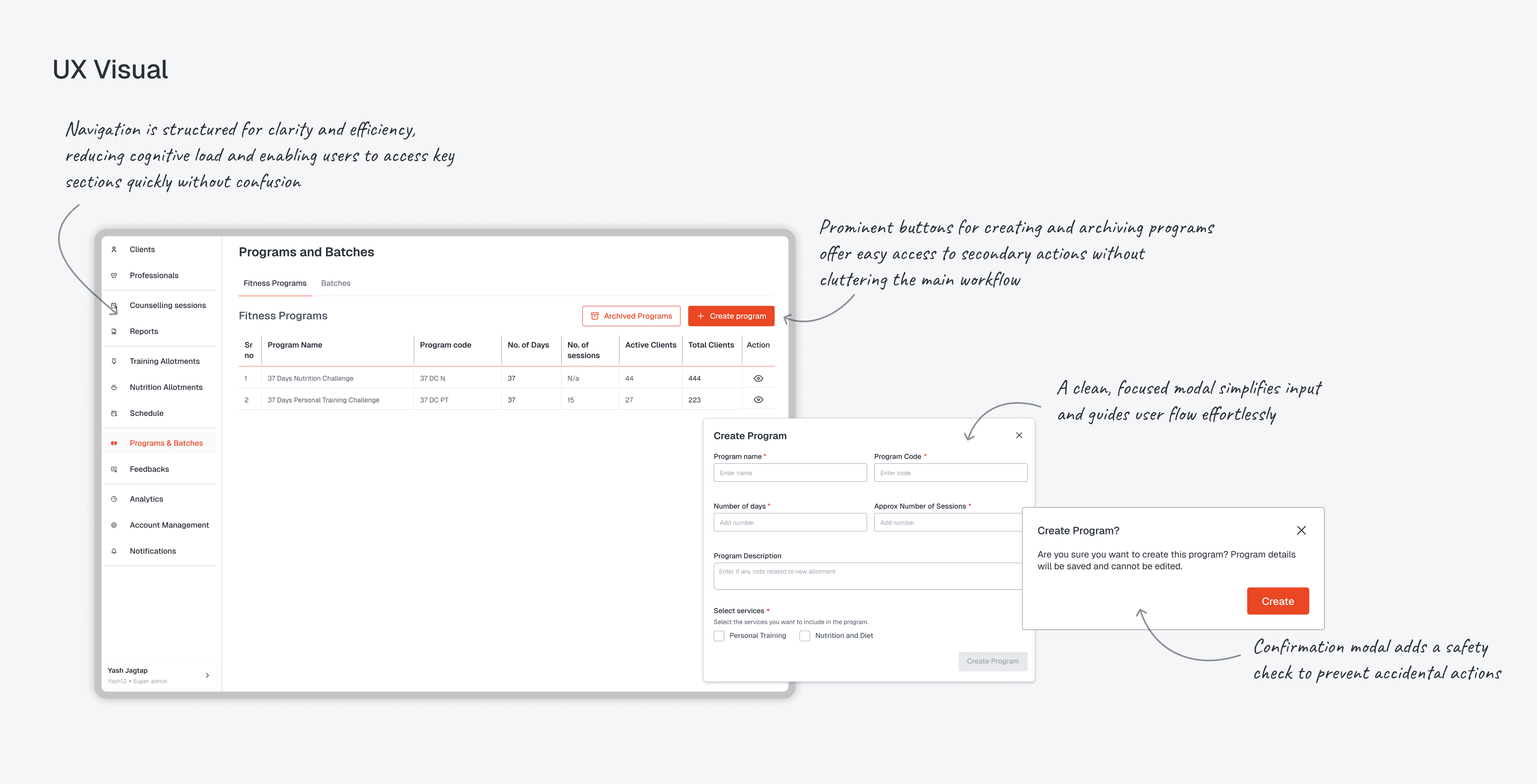
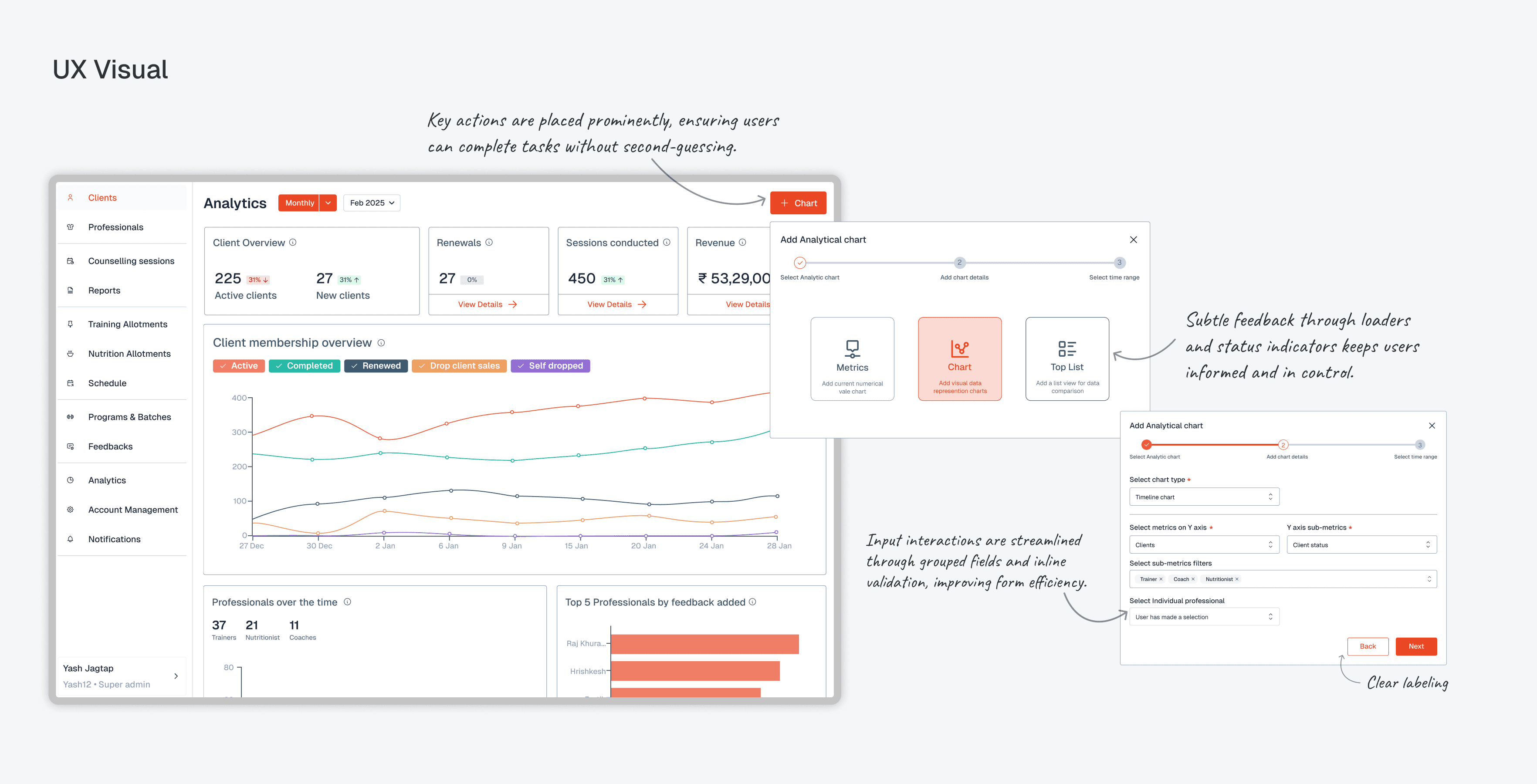
Prominent actions and clear button labels guided users through secondary tasks without interrupting the primary workflow, while confirmation modals and subtle feedback cues helped prevent errors and ensured users stayed in control throughout interactions.
“Good interaction design reduces hesitation, not just errors.”
System Consistency & Scalability
A reusable component system and standardized design tokens were established to ensure visual consistency and enable faster implementation across the platform. Responsive layouts and flexible structures were designed to support future feature expansion without disrupting the existing UI.
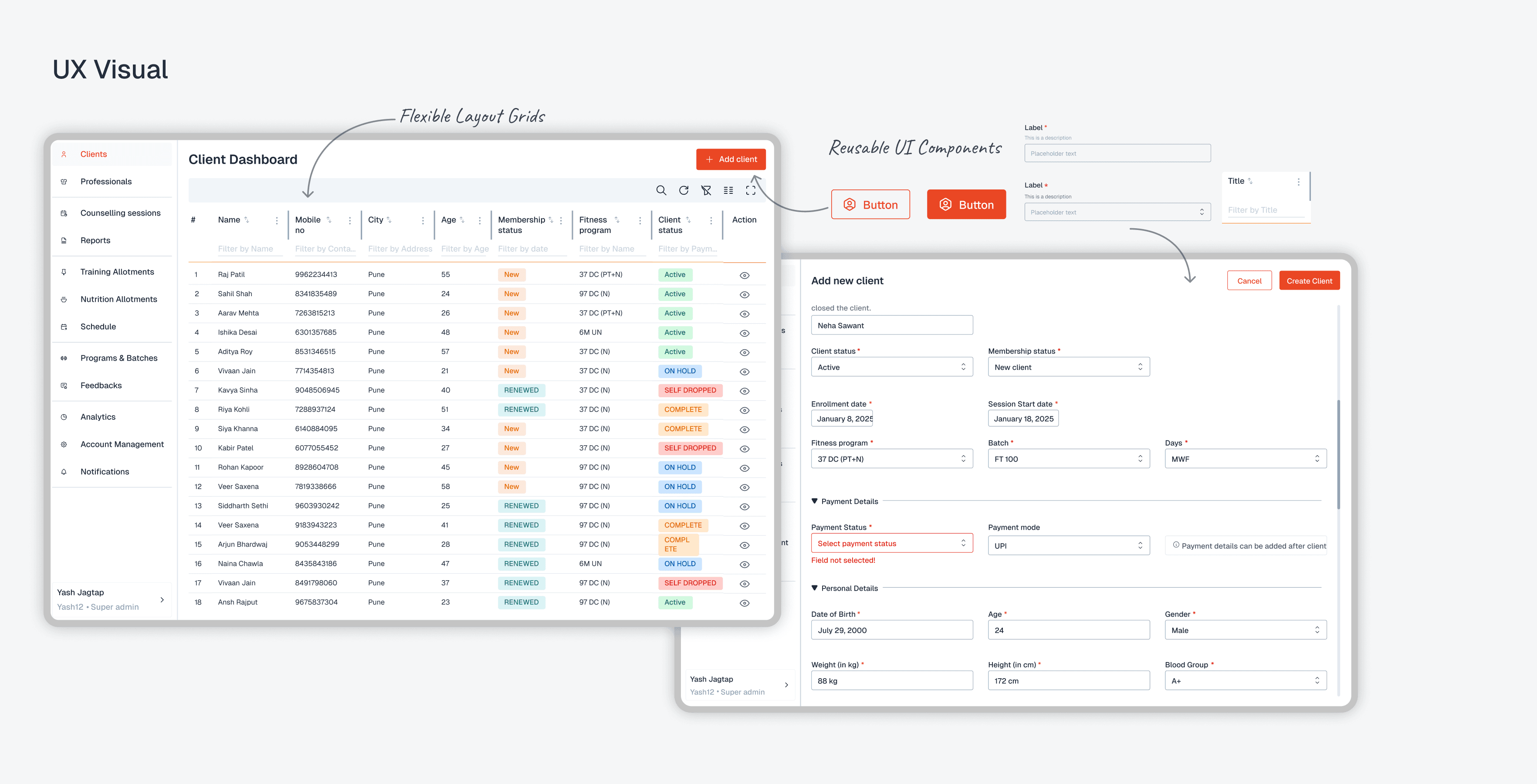
Final Product Experience
The screens and features were crafted to bring clarity, consistency, and efficiency to the platform.
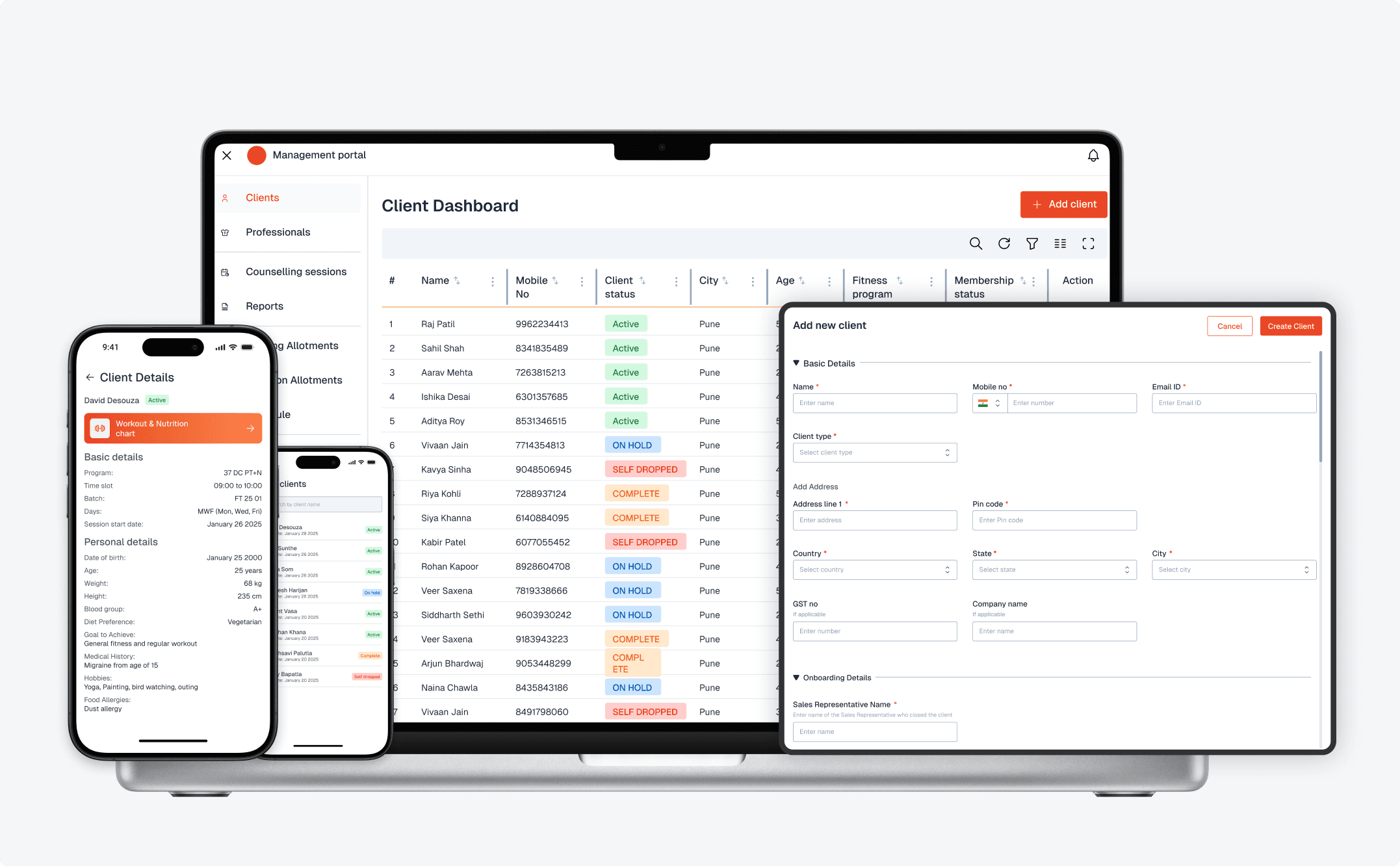
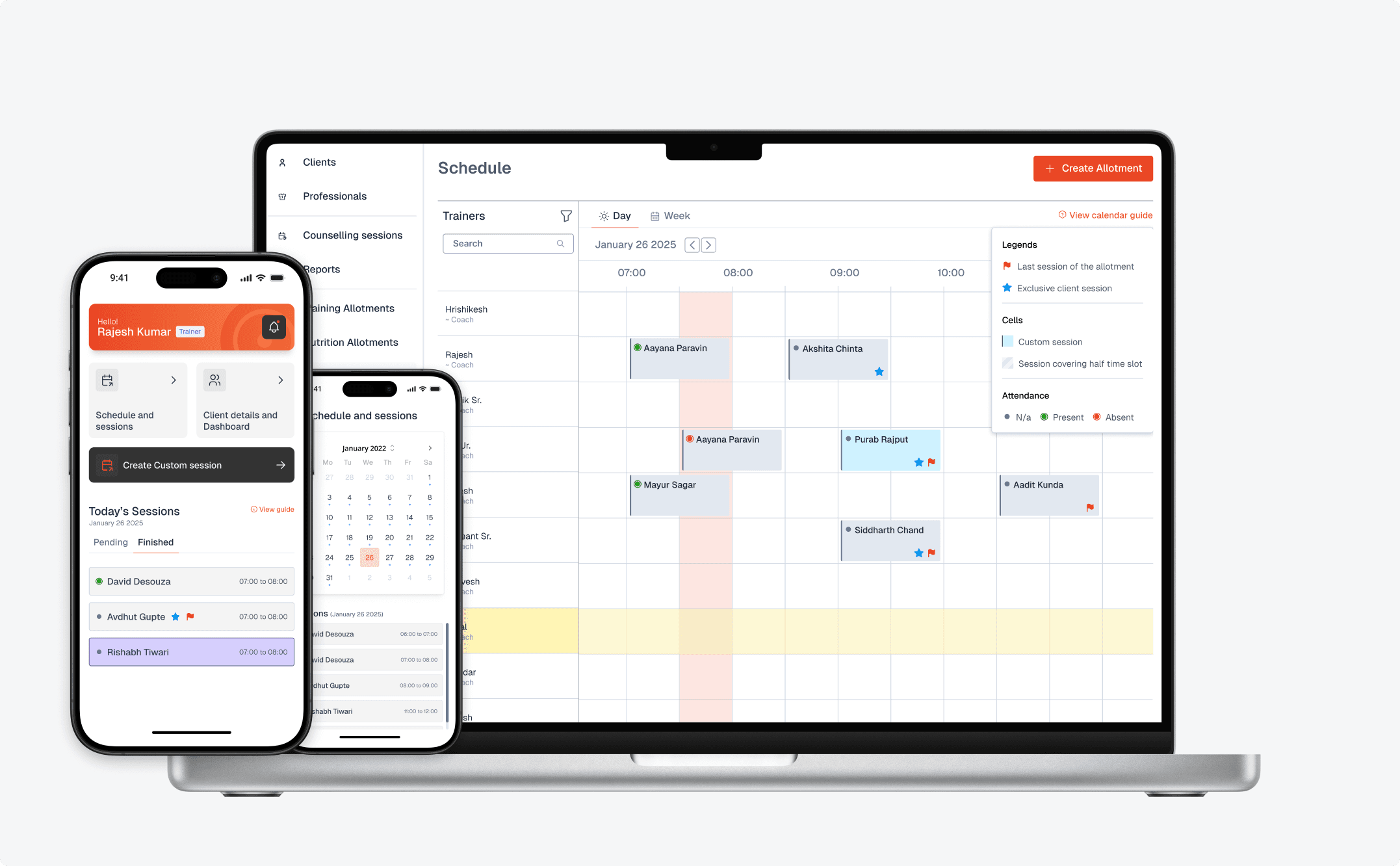
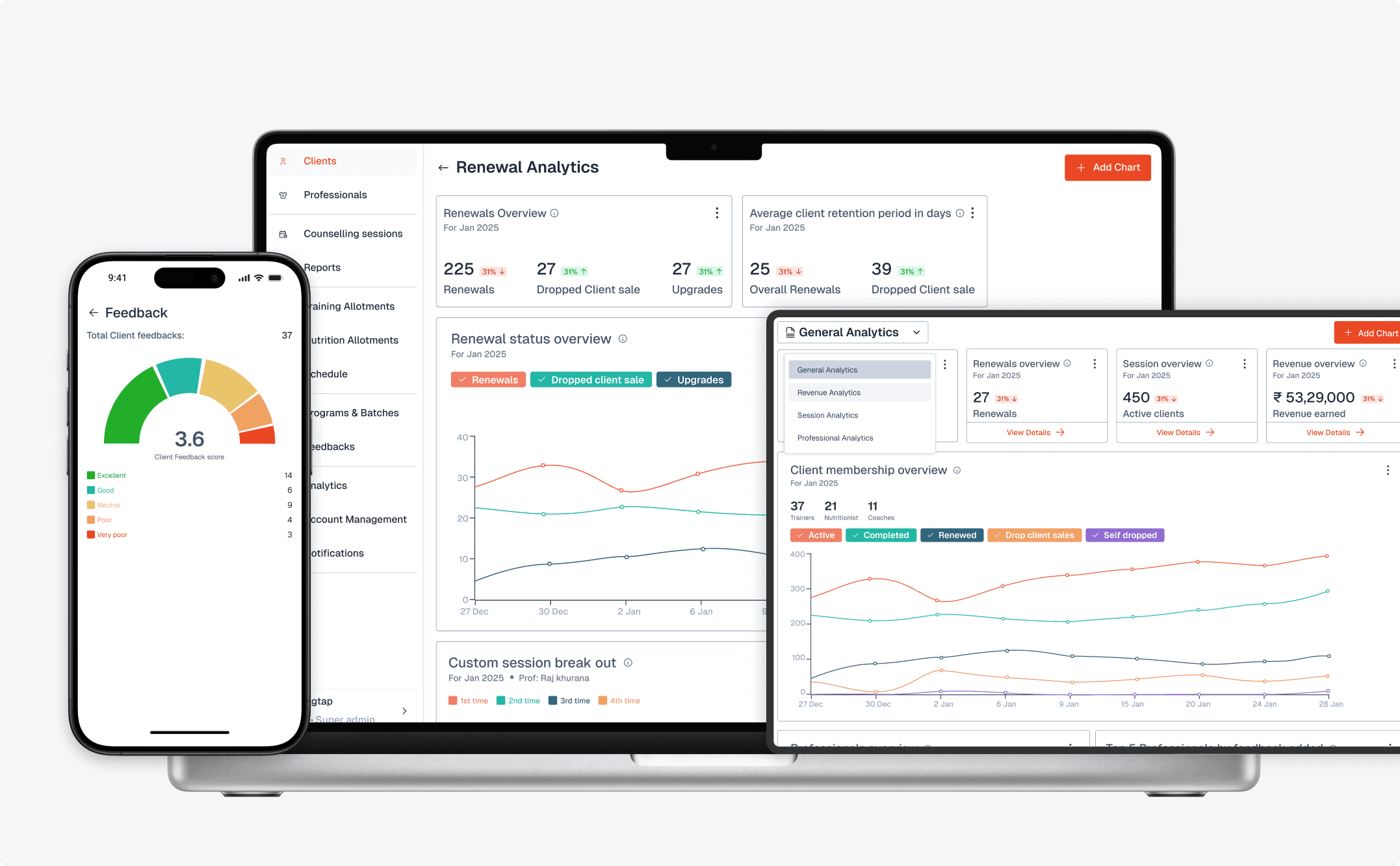
End-to-End User Management Flow
Key features
Client and trainer data managed in one place with role-based access and clear input structures for accurate updates.
Real-time sync with the trainer app ensuring up-to-date visibility across schedules and operations.
Unified scheduling and allotment system enabling seamless planning with reduced manual coordination.